Inquiry Blog Post #3: Supporting Teachers’ ICT Curriculum and Pedagogy: On-going Professional Development

Image retrieved from Quote Fancy
This week, I will be discussing ways I can help my colleagues further expand their ICT professional needs.
I must be honest and say that this idea terrifies me! Why you may ask? Well, for starters some colleagues have more experience than I do in the tech department. Secondly, I need to come up with a program that will not only help them improve their tech skills but will also need to be flexible and at a “just right” level for every teacher at my school.
This should be as easy as saying “apple” because after all, teachers are lifelong learners, right?

image retrieved from here
Sadly, is not that simple…the digital world we currently live in keeps changing and we as educators need to stay on top of that to help our students navigate these crazy waters. This is overwhelming to say the least…exciting but overwhelming. Just in the past four weeks I have learned about so many different apps and programs I can use in the classroom and library that my head spins just thinking about them! I have a plan to improve my own ICT skills but how can I apply the same plan to help my colleagues?

Alfred Bork wrote a very interesting article in 2001 called “The Dilemma of Teacher Training.” He explains why “training teachers is a common problem with education.” This statement caught me by surprise because, like I said before, we are lifelong learners so it should be easy right?! He points out that a lot of the issues come from creating programs based on old learning traditions. What does this mean? For starters it means that by the time we start learning about a new program, a new update is being released with more features that also need to be learned . How then can we keep up with this ever-changing tech current? How can I help my colleagues stay on top of these changes without overwhelming or boring them?
Furthermore, Miller & Bass point out that in order for Librarians to be a building leader, we need to make sure we work towards "empowering (our) teachers...(even if that means) pushing them to learn and try things outside of their comfort zone." (Miller & Bass, 2019). It sure is a lot to think about because as I said before, I want to help my colleagues without looking like a pushy/maniac/scary librarian!

Imaged retrieved from the Clipart Library
Keeping all I have learned in mind, I have come up with a plan which I think might help me get things started…
1) Communication: this is by far the most important step to take before even thinking about ICT workshops. Miller & Bass say that as librarians we need to "make a concerted effort to be an observer and listener, (that way we will) be more effective in knowing what (our) teachers know, and what they need to know." (Miller & Bass 2019). I want to know what my colleagues need when it comes to tech skills. I want to make it easier for them and worth their time. As we all know, teachers are always busy, so I need to make sure their time is spent wisely. I will probably start by using some of our “Library minutes” during our monthly staff meeting to ask what new skills they would like to learn. I won’t ask them to give me their answers right away, but will give them a day or so to think about it before approaching them again. I will create little 1-2 minute Doodly videos showing them some of the trendy apps out there and how they can help them in their classroom. I can also share monthly/weekly tech tips with them. Once I see where everyone is at, I will start creating small group workshops and offer them during our Pro-D days or as short lunch sessions (I will add an incentive because I know we all like a small treat!)

Image retrieved from Kissclipart
The video above is an example of something I could use to introduce Doodly to our staff during our monthly meeting. It is less than 4 minutes long and it points out the benefits of using this program in our classrooms.
2) Presentations: I will consider this my sneak “attack.” I will offer teachers to come to their classrooms to show students some of the cool new features we are working on in our website. Programs like Google Slides or Book Creator can spark interest not only in students but also teachers. I can offer to teach them how to use the program on their own time or even teach the whole class how to use them in weekly sessions.
3) In-School Workshops: Offering some pro-D workshops like “How to create a cartoon video to introduce new concepts,” “How to use Google Slides to create brochures or magazine articles,” or “How to create an interactive novel study using Book Creator.” I would also like to organize my own version of “Lunch Geek Squad,” where I would offer my tech services to my colleagues, perhaps “prep techs” where we can book one of their prep times to help them navigate new programs. So many possibilities!
Image retrieved from Unsplash
4) Promote, promote, promote: I find this to also be very important! You want to let your colleagues know what you are planning to do. Teachers are planners by nature so it’s important to keep them in the loop so they can plan accordingly. How can you do that without sending never-ending emails?! Subtle marketing is key! Make posters and put them in staff bathrooms, office board, message boards in front of the library, staff room and by their mailboxes. Mention your plans in staff meetings and make sure to tell them that I will work around their schedule. Post it on the school website, twitter account, Instagram, and Facebook. Maybe send sneak peeks of what I am planning on doing, helpful resources, etc.
5) Open Door Policy: I will make sure to always have my doors open to anyone who needs help! I know I am no expert, but I can certainly do my research, learn it, and then help them, or I can enlist the help of someone who can.
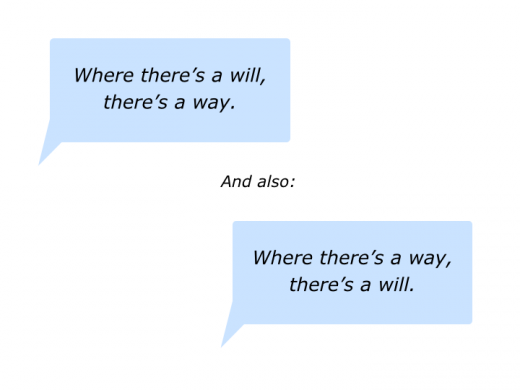
My mantra is “Where there is a will, there is a way!” If there is anything I can do to help my school community, I will try my best to help.
Do you have any other ideas or tips? I would love to hear them...until next time!
The Duchess of Bookington
References:
Bork, Alfred. (2001) The Dilemma of Teacher Training – CITE Journal. (n.d.). Retrieved February 23, 2022, from https://citejournal.org/volume-3/issue-2-03/general/the-dilemma-of-teacher-training/
How to use Doodly to Create ANIMATED VIDEOS as a Teacher | Best Video Software for Teachers. (n.d.) <www.youtube.com> Retrieved February 23, 2022, from https://www.youtube.com/watch?v=kYiwxfd03jo&list=PLvCrTe3h4indueKXwzF_GX1iAOHneKsfm&index=2
Gess-Newsome, Julie et al. Technology Infused Professional Development: A Framework for Development and Analysis – CITE Journal. (n.d.). Retrieved February 18, 2022 from https://citejournal.org/volume-3/issue-3-03/general/technology-infused-professional-development-a-framework-for-development-and-analysis/
How to use Doodly to Create ANIMATED VIDEOS as a Teacher | Best Video Software for Teachers. (n.d.). Www.youtube.com. Retrieved February 24, 2022, from https://www.youtube.com/watch?v=kYiwxfd03jo&list=PLvCrTe3h4indueKXwzF_GX1iAOHneKsfm&index=3
Miller, S., & Bass, W. L. (2019). Leading from the library : help your school community thrive in the digital age. International Society For Technology In Education.
Tollett, John R.,. (2001). Educational Leadership. [SITE 2001 Section]. Retrieved on February 18, 2022 from https://eric.ed.gov/?id=ED457825





![Doodly Review [Aug 2021]: The Best Whiteboard Animation Software?](data:image/jpeg;base64,/9j/4AAQSkZJRgABAQAAAQABAAD/2wCEAAoHCBIIBxgVCBQZGBgZGiAeHBoaHCIkGxsaIxoaHRodGxkdIDolGx4pHiIeJjclLDs+NjU0GjA5Pzo0Pi81NDABCwsLDw8QHBIRHDIlIykyODY4PjYwOzI+NT41OD44PjEyOzI4NT41Mjs4MjowMDQyOzA+MDIwPDsyMjc1Mj8wP//AABEIAJ8BPQMBIgACEQEDEQH/xAAbAAEAAgMBAQAAAAAAAAAAAAAABQYBBAcDAv/EAEMQAAIBAwMCBAIFBwoGAwAAAAECAAMEEQUSIQYxEyJBURQyByNhgZEzQlJxcrLBFWJjgpKhorHC0TRUc4Oz4RYkQ//EABkBAQADAQEAAAAAAAAAAAAAAAABAwQCBf/EACwRAQACAgEBBQYHAAAAAAAAAAABAgMREiEEMUFxoRMyNGGR8SIjUYGx0fD/2gAMAwEAAhEDEQA/AOzREQEREBERAREQEREBERAREQEREBERAREQEREBERAREQEREBERAREQEREBERAREQEREBERAREQEREBERAREQEREBERAREQPGvXS3TdXdVHuxAH4mKddKig02BBGQQQcj3GO85R15Tq6z1stqrYGEVA3yAsu5mOPX/aWdOj6nwFFDUUNTphDgHBwzEEH9RgXaJSB0teUvyNZfudx/CfX8lanS+SqT/3D/qgXWJTAur0fUt/YM+hqOqUvylHd/Uz+6YFxiUa+6yraVeUF1OiFSoDvbDBkO9lBweCMAHEvAgZiIgIiICIiAiIgIiICIiAiIgIiICIiAiIgIiICIiAiIgIiICIiAiIgVa5vqqdXLTDnYceXjHyH7M95aJTtU8nWtM++z/UJcZIREQkiaVvqdC6unpW9VGqU8b0VgWTPbcPSU6z64fUeqkp2NNTZNUNDxz3auEZxs55Xy47c5zmBYOsraldaC4vULqCpwG2nO4AebHHeTVFt1JT7gf5SP1/wjpT/Hvsp8Fm9gGBwP14x98x09qqaxpgq2qlVyyqG74VioJ9s4ziOM63ro55RvXiloiJCSIiAiIgIiICIiAiIgIiICIiAiIgIiICIiAiIgIiICIiAiIgIiIFN1zy9X0T/wBP99hLRdXIt0yQWJ7KoyzH2A/ieB6kSr9TeXqa3P7H/kMuMlKAraVcaiC93c1KLf8A5pQbC0z6FiR9c3uGG30A/OMXc3er16XwtOgEqk7WvFI8EU/WoiE7vExwEPAPOSJc4gc61X6PXRaQ6ZrCgSjUrmo2TUq03IZ2LY81TcD3x83BGMSwXfT1Ox6dp0dLTaLd6dWmB3LI4ds+5cbwT/PlliBzf6Xifh7fk7Sz5HoThcHH2c/jJj6L2z0qv2O/72f4yK+l0f8A0aB/pGH+H/1JD6Kmz0yR7VX/AMlM9G3wVfP+2GvxM+S7RETzW0iIgIiICIiAiIgIiICIiAiIgIiICIiAiIgIiICIiAiIgIiICIiBTur6tva6lRqahXFLA8o2MxbawJxtHHcd/eW8HI4lN+kTp2rrlnTbTxuemW8ucblbGcE8ZBAkZ0/Z6qujutfxVfxRt3vz4fh44JbgbscSUujTwq3VOj+VdV/WwH+cp46bvbn/AImqB+07N/d2nvS6LGPr639lf4kwNfq/rV9A1AUbeir5ph95YgclhjAH2e/rKrcfSVfOfqkpL/VJP4lpYusOjLjXdVR7RkVFpKhLE5yGY/KB7ETStfot/wCauT+pEx/iLfwnq4LdjrjrN+s+Pe87JGebTx3pS9Y6jutbQLqNQMqnIAVQAcY9BntOjfRKc6DUHtWP7iT2tfo3sKP5XxH/AGnwP8AEsulaTQ0i3KacgRSckAk5OAMkk57ATjtXa8N8fs8ca6/pp3hwZIvytKRiInmNpERAREQEREBERAREQEREBERAREQEREBERAREQMSEbqW2F0yZqkqzKWWhVZNy5DAVFplTggg4PBGJNmck+L8K+qsAGc39SkA9TC7mrqKfkDbsDdv2qBnaT65gdAXqrT3bHxdEEDJDVFUgfqYgzes9Utr7/gq9Op+xUVv3TKrf9O39RuXtbhc7itRHRnIOae5suPIe3Er97WWpeqvUFqtJ+CzVKe5XKLyyVlPAU/KEcMSckc8yOrxKfpesHTb5La7d6lKoQtCswOQxUulKq5GHYqMq4yT2bnlrhCSJr3V3Ts6Je8dUUd2dgq/iTiaVh1DZalW2afdUajfopUUn8AcmBKxEQETWu7ylZUd17URF/Sdgo/Emalh1BZ6nUK6fdUajfoo6k/gDmBKREQEjdevjpmjVq1MAslNmUHsWA8oOOeTib71BTXNQgD3JwP75Xev2DdF3JU5Hh+hH6S55PH4whE9MdT32oastPVqSJTdqqKQpVi9Pb/SMMEbsj7OCeZM9YXz2enJ4NTwy9VF35AKjJZsEgjO1SOxznGJUtAf4TXbSi4Csaj1BjHym1cAErTVQOAVB5IBOFUASwdb3HhVLbsM1W5LbcfU1BuDYJBGeMDOeBzO8Vd3iFWadUmXn0zrFzcaqKV27MjJUYb0CuNj01XLLgNkMc8DBGO4MuUovQtt4er3BY5KJTpjzl8Z3uw3dh+b5RwMY5OSbVU1m1poS9xSAHcl1/wB532isc9Vj6OMFvwRMz9UjE86dQVUBpkEEZBHYg9iD7TyvLunY25e7dUUd2Y4AycDk/bKdddNG41tsTMiKHUdlc1gtC5pMzHAAcZJ9APtkvE1mO+NIi0T3MxESEkREBERAREQEREBERAREQEREDBnJ9RqN/wDJXt6bNg6nRYrlsBWFGqxOBjBZcBcgZyeTidYM5FqdwR1ZVempYUtRoFmKnCBkoUvKwGBnkHJ9AAOSRI67K91rYG96ec0gfEpfW0ypwwZMkhW/NLJuTP8APlhkbr1+mmaRUq1+QqkBR3djwiKPVmYhQPcwlTdWsVuenna2PloL4tBiF+YBaiYqEs5DEL+ixKd8HEtWta9T0vQfiXx5lXw1Jxud8bFz6ZJGT6AE+k5wPFtum6draOgqVEFAIrIpLtimzfV5JZSSTznyebAyJLdbgLrtlbNgolJ2VSzKC/lpqQEUs5Vd3Ax8xJYQhAajbLrFzVNe5qXNRmFIBAgRnZWc06FMjeqgDLMWRcAEl553/SdTS7WmmqW4SgtUfWCuHpI1Qbd1RPCDDacAEYUFgTkCTXRNFx1+4um+S2JpqowgLVEFQovIU8DOGY88tngXzqu3W66YuUrdmoVMn28jEH7jz90JVDpXV20jVEtatwtxQq5COrlvBqZOymXZixR1HBP5wO3ggC39Sawmh6WalTbuJCU1Y4DVGOEBI5A9SfQKT6TjN+zWFkKC7fHtkWoFVSBTansqM3LEjOCM7QWJzlV+a5da1/juprWnVAKCg1RVZnGXdguQqKWcqoPGVwG5YepCBvLRdauaniXNS6qu/hDaFCs+0OyUkI3U6aj5iWRcYzvPfzvulKmmUaNPVbcU6IqYFUVw9JGqAjc6+GGVgxCq3ChiCeBzPdBUmHW1YXLDKW4FNVGEAaoPEKryF5Vc4Zu/LE8C59bWy3XSF2lTsaDkftBSy8ftAQKv0jrL6bqyWlxXW4o1QfDqK5bw6o3N4RZmLFGQZVmPJU44IAtPUmrNYUFp2I3XFY7aS4zjGN9RhkDaincckA8DPM5DqNY2CClR2+NaBKm1VIVPCKs+MsSu7kdgTnJIXAPStbqsOpA2F2i2/PKhSHq+dd7fLkrTHCsTkdoFM1W5qlEFBWr3NSqaaltlZ3wDuKVTmha8AnYqHAHJ9R8VelK+nVPhrcfDJVpVGYrgpVZVBNNqj1D5lxv3HZgK20d5a+nKbr1rU/lFUV/hlamq+gaoVqEFvO58lMFm9hjAxJjrlno9PNVtseJSdHQkZ8wdQRjIyGUspGRkMeRAqelpXHUtlUuahqo9WoVc7gG3W1dspSHlRRyAzedgcnAHNk6vppVu7YVwcA1WGFDMGWmSCqkEFh6ccd/SRVnpFOx6qtNlFFqfXPUZadNTk0sBSUOR85O0lvfdJDrSka+oWiAZ3NUz5iuBsySSOTxny+vbntLMPvx+/wDCnP7kvjoXDXV0Vzhmpsu5dpKmkMHH8fXv6yM1HTKej9TsagVaVZWqIW2BEqDAqZ3DLE5UhQR8xkxoBa26kqU6wwXt6T4LFiCjOrAseSfMpOfeb/V2nNf6SWsztrUj4lNsAkMoPGD7rkffL/aay/KYiPRVFOWL5wi+htTCFrKsTupDdT3FdzUieMhTgFT6exE9Or/Evb+jRooHVd1aorKWUgeWkCoI3ZYk4JA8nJwDK0upCj4F7RLEIQX3OnKOArjJG6pUxg4HbZg8zbuqy13evdq4aucpkVFC0FU+H9YvlXK7nY4JG/nE7nFq/KI+6qMv5ep/0PrRbWrq3Uym5qllpHfUpqrpTRxjwV2ufM2ctkceT7Z0aQPSVs1LSVqXQxUq4du5wNoCLlueECjnnOfeT0zZ78reXRqwU4134y+oiJSuIiICIiAiIgIiICIiAiIgIiIGDOV17P4/XbxVKKyXSuBjLYFOm65VQGqFmQYQMCQp5UZz1QyIuen7W6umq1KeHbBZkd0LEDaC2xhk7eMnnHEkVi+13UbRW31KW8bRt+GYhWdgtFHcV8eIxIJVc7Qc8jBPlqNM3WpUxqz/ABLptYUEp7gjA/P4SEhCeymo3AJJYDKNaB0rY7gXoK5ByN5Z+ffzk8/bJW3tktqe22RUX2UAD8BAg9N0dql+LjUkVWTd4dMHOwsMM7tjDVSvl48qgkLnJJ1uuNCqarapV078vQYso486HHiU+eDnAIDcblGeJa4hLhOo3dahq1O4s6ng3CAjbUIFULg5WpSdVLqe2ymCoyWDHAlirdQ3msaGWrXKIrFV20LWq9StnkohZ9rE9vLkc8sOROi6npVvqtHZqdJKi+zqDj7QTyD9okMnRFmlfcjXA4A2/EVdu0Zwvz52/wA3OIFMOitqNsbSjbinUqEeIC670Vj56tZaXBfbnbvIG7ACHG6Wvrbp57+3pVtKB8W37KMfWUjjemG4LcBlDcbl57yy2NjS0+hssaaovfaqgDPqTjuT7zbgcJvr6tba0lzY1FpV0Ugo5w+3BJSrSqKjupwAFRdq4LBiZYrnqC81nRg1W4RFZlUJQtKjVK3GSiF6m0nPBI8o/S7idF1TSLfV6GzU6KVF9A6g4/Ue6n7RIdOibOnW3K1xzgFfiKu0gZwp8+SvPy5xCFN/kQ6lS+EpW6ozupqjeCUQkNUqVVpeU1CBhS5ByfKgALC9dS6O99TSpYYFajkpk43oceJT34ym4AYccgqD2zmWsrKlYW4SypqiDsqKAPwHrNmByfTjXsr9LrSKbtVZXSulRWPAYEU6tQD6t0OMYBZt35/eTWt3l5qGngahTSkm9SaaM7PhKiuGqVdqrRRcBz6kLjK84tV9olC9uA9RWWpx56dR0cgdgzU2BcD2bI5nk3T1u9Ipcb3Rs7keoxVsnJ3LnDZPvAq2nXhqdd26NTKqKFUI7jzv+TIBbuRhSRk5xzJrrCmi1betdKSlOo24gE7NyMFcqO4D7fxkjZ9PWlleCrb0VFQZw5JZxkBT5mJOSABn2GJKMAwwRkGTW2rbc3ryiYczpakdL1anWt6TuiJUR1UruTIFRsgeXcNpZsnux9sTpVJxVphh2IBH3jMhLzpCxu/nohe/yMyfN83CEDn195OIop0wF7AYH6hLc1631qOqrDS1NxaejnVG1XStcuLepSZ1Y7qQU9kqHnau3aADuBdj7Dmeo0z4pqFsxKLUZmNJQyhaKENU3lvM5ZtijOAA3A4mre6jUveoKtejTLKv1VJtrnOCdxQAYbL55AJwPSWPpOwHxNW6YLufFNWUEblTh28xJ81TdySeFWaMkzWu579erLSItfUR036LUBgcT6mJmYHokREBERAREQEREBERAREQEREBERAwYmYgYiZiBiIiAiIgIiICIiAiIgIiICIiAkJ1Vftp2iO1H52wids73O1cZ44zn7pNzWvLKlfUdt5TR1zna6gjPocH1k1mImJnuc3iZiYhzSpaPTp/D2dMpT3LSSoSSzM5wTk1MgKNzHaMEr7TptpbLaWq06AwqKFUewAwJp2+hWltcB7a3pI69mVFDDjHBA9jJOW5svPSrDi4bmSZiJSvIiICIiAiIgIiICIiAiIgIiICIiAiIgIiICIiAiIgIiICIiAiIgIiICIiAiIgIiICIiAiIgIiICIiAiIgf//Z)